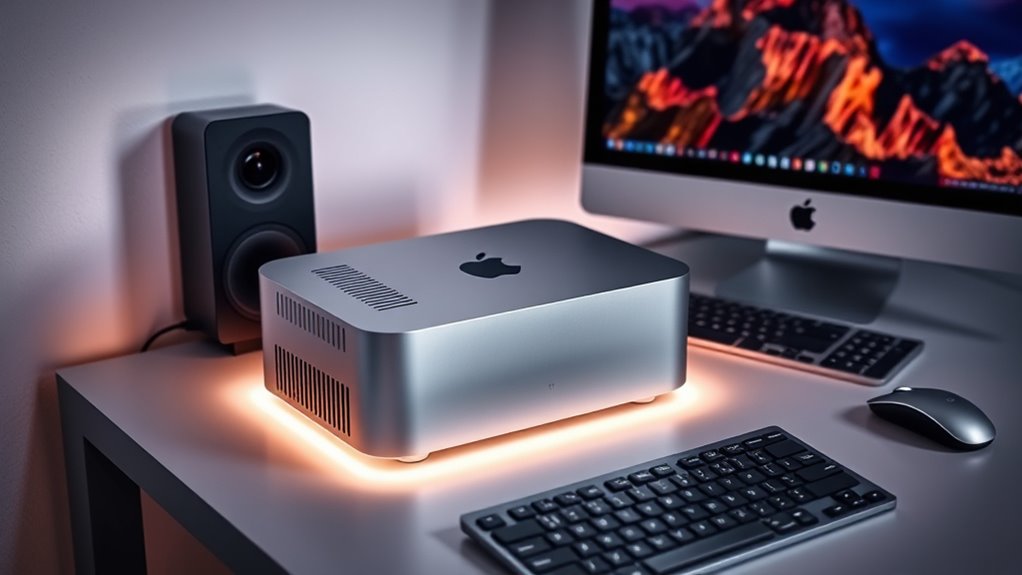

When seeking compact workstation macs mac studio picks, the Apple Mac Studio with M5 Max Chip (2026) stands out as the best overall choice for professionals needing maximum compute density in a small footprint. For those balancing power with a lower entry point, the Mac mini with M5 Pro Chip (2026) delivers exceptional performance for video editing and coding without the premium price tag of the Studio. The primary tradeoff in this category is between future-proofing your investment with the latest silicon and immediate cost savings via renewed models, which may lack long-term software support. This guide breaks down which machine fits your specific creative or development workflow, helping you avoid overpaying for features you will never use or underbuying for projects that demand more horsepower.

Get kitchen staples and gadgets delivered free with Prime
- Fast, free delivery on millions of items
- Prime Video, Amazon Music and more included
- Member-only deals all year
Complete the kit

Key Takeaways
- The M5 Max chip in the 2026 Mac Studio offers nearly double the GPU performance of the M5 Pro in the Mac mini, making it the only choice for heavy 3D rendering or 8K video timelines.
- Renewed 2020 M1 Mac minis remain viable for light office work and basic photo editing but are rapidly falling behind in RAM capacity and USB connectivity compared to 2026 models.
- Intel-based renewed Mac minis from 2018 are no longer suitable for professional creative work due to thermal throttling and the end of macOS support, limiting them to legacy tasks only.
- The 2026 Mac mini M5 Pro provides the best price-to-performance ratio for developers and audio engineers, offering 10-core or 12-core CPU options that outperform previous M1 Max machines.
- Port selection is a major differentiator; the Mac Studio retains the full array of high-bandwidth ports including HDMI 2.1 and SDXC, while the Mac mini relies heavily on Thunderbolt hubs for similar connectivity.
| Apple Mac mini desktop computer with M5 Pro chip (2026) |  | Best Compact Workstation | Processor: Apple M5 Pro | Dimensions: 5 x 5 x 1.97 inches | Weight: 1.61 pounds | VIEW ON AMAZON | See Our Full Breakdown |
| Apple Mac Studio Desktop Computer with M5 Max Chip (2026) |  | Best Premium Workstation | Processor: Apple M5 Max | Unified memory: Up to 128GB | Memory bandwidth: Up to 614GB/s | VIEW ON AMAZON | See Our Full Breakdown |
| Apple Mac mini (2020) with M1 Chip, 8GB RAM, 256GB SSD, Silver (Renewed) |  | Best Entry-Level Renewed Mac | Model: Mac mini MGNR3LL/A | Year: 2020 | Processor: Apple M1, 8-core | VIEW ON AMAZON | See Our Full Breakdown |
| Apple Mac Studio 2025 with M4 Max, 14-Core CPU, 32-Core GPU, 36GB Memory, 512GB SSD (Renewed) |  | Best Renewed Studio Configuration | Model year: 2025 | Processor: Apple M4 Max | CPU cores: 14 | VIEW ON AMAZON | See Our Full Breakdown |
| Apple Mac Mini (Late 2018) – Renewed |  | Best Legacy Intel Mac Mini | Processor: 6-core Intel Core i5 at 3.0GHz | Graphics: Intel UHD Graphics 630 | Memory: 8GB DDR4 at 2666MHz | VIEW ON AMAZON | See Our Full Breakdown |
| Apple Mac mini (2024) with M4 Chip, 10-Core CPU, 24GB RAM, 512GB SSD, Silver (Renewed) |  | Best Compact Workstation Value | Processor: Apple M4, 10-core CPU | Graphics: 10-core integrated GPU | Neural Engine: 16-core | VIEW ON AMAZON | See Our Full Breakdown |
| Apple 2018 Mac Mini (Renewed) – 3.0GHz Intel Core i5, 8GB RAM, 512GB SSD |  | Best for Legacy Intel Mac Needs | Processor: 3.0GHz Intel Core i5, 6-core | Graphics: Intel UHD Graphics 630 | Memory: 8GB DDR4, 2666MHz | VIEW ON AMAZON | See Our Full Breakdown |
| compact workstation macs mac studio pick | Processor | Ports | Storage | Graphics |
|---|---|---|---|---|
| Apple Mac mini desktop compute | Apple M5 Pro | Three Thunderbolt 5, two USB-C, HDMI, 2.5Gb Ethernet, headphone jack | — | — |
| Apple Mac Studio Desktop Compu | Apple M5 Max | Four Thunderbolt 5, two USB-C, two USB-A, HDMI, SDXC card slot, headphone jack | — | — |
| Apple Mac mini | Apple M1, 8-core | — | 256GB SSD | Integrated, 8-core GPU |
| Apple Mac Studio 2025 with M4 | Apple M4 Max | — | 512GB SSD | — |
| Apple Mac Mini | 6-core Intel Core i5 at 3.0GHz | Four Thunderbolt 3, HDMI 2.0, two USB 3.0 | 256GB SSD | Intel UHD Graphics 630 |
| Apple Mac mini | Apple M4, 10-core CPU | 3 x Thunderbolt 4, HDMI, Gigabit Ethernet, 2 x USB-C, 3.5mm headphone jack | 512GB SSD | 10-core integrated GPU |
| Apple 2018 Mac Mini | 3.0GHz Intel Core i5, 6-core | 4 x Thunderbolt 3 (USB-C), HDMI 2.0, 2 x USB 3 | 512GB SSD | Intel UHD Graphics 630 |
More Details on Our Top Picks
Apple Mac mini desktop computer with M5 Pro chip (2026)
The M5 Pro Mac mini is my pick for a high-performance workstation that takes up very little desk space. Its 5-inch-square footprint is far smaller than the M5 Max Mac Studio, while its chip, 307 GB/s memory bandwidth, and support for three external displays suit demanding creative and technical setups. Thunderbolt 5 and 2.5Gb Ethernet also give it a current, fast connection mix. The tradeoff is expansion and headroom: the Mac Studio supports more displays and offers up to 128GB of unified memory, while this Mac mini’s listed ports omit USB-A. Like both Studio options, it also needs a separate monitor and peripherals. I’d choose it when desk footprint matters more than maximum memory capacity or the Studio’s broader built-in connectivity.
Pros:- M5 Pro chip is suited to demanding creative, technical, and on-device AI work.
- Compact 5 x 5-inch footprint fits easily under a monitor or on a small desk.
- Three Thunderbolt 5 ports and 2.5Gb Ethernet provide fast wired connections.
- Supports up to three external displays.
Cons:- Requires a separate monitor, keyboard, and other peripherals.
- Listed ports do not include USB-A.
- Supports fewer displays and less maximum memory than the M5 Max Mac Studio.
Best for: Creative professionals and developers who want a powerful, multi-display Mac workstation on a crowded desk.
Not ideal for: Users with workflows that need the Mac Studio’s up-to-128GB memory capacity, support for five displays, or built-in USB-A and SDXC connections.
- Processor:Apple M5 Pro
- Dimensions:5 x 5 x 1.97 inches
- Weight:1.61 pounds
- Memory bandwidth:307 GB/s
- Ports:Three Thunderbolt 5, two USB-C, HDMI, 2.5Gb Ethernet, headphone jack
- Display support:Up to three external displays
- Wireless:Wi-Fi 7 and Bluetooth 6
- Model number:MHQN4LL/A
Our verdict“Choose this Mac mini if you want current workstation-class capability in a small footprint and can work within its connectivity and display limits.”
Apple Mac Studio Desktop Computer with M5 Max Chip (2026)
For workloads that need substantial graphics and memory headroom, the M5 Max Mac Studio is the strongest workstation pick here. It supports up to 128GB of unified memory, up to 614GB/s memory bandwidth, and five external displays—more room for demanding production workflows than the M5 Pro Mac mini can offer. Its four Thunderbolt 5 ports, USB-A, and SDXC slot also reduce the need for adapters when connecting drives, cameras, and other gear. The compact Studio enclosure has a quiet thermal system designed for sustained work, but it is still larger and heavier than the mini, and the listed memory figure is a maximum rather than a confirmed configuration. I’d favor it over the renewed M4 Max Studio when the newer chip and broader stated capacity matter more than buying a pre-owned configuration with specified memory and storage.
Pros:- M5 Max chip and advanced graphics target demanding professional workflows.
- Supports up to 128GB of unified memory and up to 614GB/s memory bandwidth.
- Four Thunderbolt 5 ports plus USB-A, HDMI, and SDXC connections.
- Supports up to five displays and has a thermal system designed for quiet operation.
Cons:- The listed memory capacity is a maximum; the selected configuration is unspecified.
- Larger and heavier than either Mac mini in this roundup.
- Requires a separate monitor and peripherals.
Best for: Video, 3D, and other creative professionals who need extensive memory capacity, multiple displays, and a broad selection of built-in ports.
Not ideal for: Desk-limited buyers who do not need Studio-level capacity, or anyone who needs a portable computer or a clearly specified memory and storage configuration.
- Processor:Apple M5 Max
- Unified memory:Up to 128GB
- Memory bandwidth:Up to 614GB/s
- Ports:Four Thunderbolt 5, two USB-C, two USB-A, HDMI, SDXC card slot, headphone jack
- External display support:Up to five displays
- Wireless:Wi-Fi 7 and Bluetooth 6
- Dimensions:7.76 x 7.76 x 3.74 inches
- Weight:5.94 pounds
Our verdict“Pick the M5 Max Mac Studio when high memory capacity, multi-display support, and built-in connections outweigh the Mac mini’s smaller footprint.”
Apple Mac mini (2020) with M1 Chip, 8GB RAM, 256GB SSD, Silver (Renewed)
This renewed M1 Mac mini is the approachable option for buyers who want macOS in a compact desktop but do not need a current workstation’s processing or connection ceiling. Its 8-core CPU and GPU, 16-core Neural Engine, and support for up to 6K/4K video output cover everyday desktop use and lighter creative tasks. The 256GB SSD offers local space for apps and active files, though the 8GB of unified memory is the main constraint. Compared with the M5 Pro Mac mini, it has a much older chip and fewer listed details about modern connectivity; compared with the renewed 2018 Intel mini, it brings Apple silicon and an integrated Neural Engine. The 90-day limited warranty and renewed condition call for more caution than a new machine, and a keyboard is not included.
Pros:- M1 combines an 8-core CPU, 8-core GPU, and 16-core Neural Engine.
- Small desktop form factor helps conserve desk space.
- 256GB SSD provides local storage for apps and files.
- Supports video output up to 6K/4K.
Cons:- 8GB of unified memory can limit demanding multitasking and creative work.
- Renewed condition comes with a 90-day limited warranty.
- Keyboard is not integrated, and other desktop peripherals are needed.
Best for: Home users, students, and first-time Mac desktop buyers with light workloads who are comfortable buying a renewed computer.
Not ideal for: Professionals handling large creative projects, extensive multitasking, or workloads that can exceed 8GB of unified memory.
- Model:Mac mini MGNR3LL/A
- Year:2020
- Processor:Apple M1, 8-core
- Graphics:Integrated, 8-core GPU
- Memory:8GB unified memory
- Storage:256GB SSD
- Video output:Up to 6K/4K
- Warranty:90-day limited warranty
Our verdict“Choose this renewed M1 mini for light everyday Mac use in a compact setup, not for workloads that need the M5 Pro’s performance or memory headroom.”
Apple Mac Studio 2025 with M4 Max, 14-Core CPU, 32-Core GPU, 36GB Memory, 512GB SSD (Renewed)
This renewed M4 Max Mac Studio stands out for buyers who want a specified workstation configuration rather than the broad maximum-capacity claims listed for the M5 Max Studio. Here, the chip, 36GB of unified memory, and 512GB SSD are spelled out, giving creative users a clearer picture of the included hardware. Its 14-core CPU and 32-core GPU place it above the renewed M1 Mac mini for heavier graphics and compute work, while the newer M5 Max Studio offers more stated memory headroom and support for more displays. The tradeoff is condition: this is pre-owned, not Apple-certified, may arrive with replacement accessories or generic packaging, and carries a 90-day limited warranty. I’d shortlist it when a defined M4 Max setup matters more than buying new or having the latest listed chip.
Pros:- M4 Max includes a 14-core CPU and 32-core GPU.
- Specified 36GB unified memory and 512GB SSD make the configuration clear.
- Professionally inspected, tested, and cleaned by qualified suppliers.
- Renewed guarantee and 90-day limited warranty are included.
Cons:- Renewed and not Apple-certified, with possible cosmetic wear.
- Accessories may be compatible replacements rather than original Apple items.
- The 90-day limited warranty is shorter than buyers seeking longer coverage may prefer.
Best for: Creative professionals seeking a defined M4 Max desktop configuration and willing to accept renewed condition and a limited warranty.
Not ideal for: Buyers who require a new, Apple-certified computer, original accessories, or the M5 Max Studio’s higher stated memory and display capacity.
- Model year:2025
- Processor:Apple M4 Max
- CPU cores:14
- GPU cores:32
- Unified memory:36GB
- Storage:512GB SSD
- Dimensions:10 x 7.7 x 3.7 inches
- Condition and warranty:Renewed; 90-day limited warranty
Our verdict“Choose this renewed Studio if you want a clearly specified M4 Max configuration and accept the condition and warranty tradeoffs.”
Apple Mac Mini (Late 2018) – Renewed
The renewed Late 2018 Intel Mac mini is a fit for buyers who specifically need an older Intel-based Mac or want to reuse an established setup built around that platform. Its six-core Core i5 and four Thunderbolt 3 ports offer a capable connection set for drives and accessories, with HDMI 2.0 and USB 3 adding flexibility. It is a different proposition from the renewed M1 Mac mini: this model runs Intel hardware and macOS Mojave, while the M1 offers Apple silicon and a Neural Engine. Both are older renewed machines, but the 2018 model’s 8GB RAM and Intel UHD 630 graphics make it a poor match for modern, demanding creative work. The 90-day warranty and renewed condition add uncertainty, so I’d choose it for platform-specific needs rather than as a general workstation pick.
Pros:- Six-core Intel Core i5 suits basic desktop and compatible legacy workloads.
- Four Thunderbolt 3 ports provide multiple high-speed connection options.
- Includes HDMI 2.0 and two USB 3.0 ports alongside Thunderbolt.
- Compact desktop design keeps the computer separate from the display.
Cons:- 8GB DDR4 RAM and Intel UHD 630 graphics constrain demanding workloads.
- Listed operating system is macOS Mojave.
- Renewed condition and 90-day limited warranty offer less assurance than a new computer.
Best for: Buyers who need an Intel-based Mac mini for legacy software, existing Intel workflows, or a secondary desktop with Thunderbolt 3.
Not ideal for: People building a current workstation for demanding creative work, or buyers who want newer Apple silicon and more memory headroom.
- Processor:6-core Intel Core i5 at 3.0GHz
- Graphics:Intel UHD Graphics 630
- Memory:8GB DDR4 at 2666MHz
- Storage:256GB SSD
- Ports:Four Thunderbolt 3, HDMI 2.0, two USB 3.0
- Connectivity:802.11ac Wi-Fi and Gigabit Ethernet
- Operating system:macOS Mojave
- Warranty:90-day limited warranty
Our verdict“Pick this renewed Intel mini only when Intel compatibility or its Thunderbolt 3 ports matter more than newer Apple silicon performance.”
Apple Mac mini (2024) with M4 Chip, 10-Core CPU, 24GB RAM, 512GB SSD, Silver (Renewed)
The 2024 Mac mini with M4 is the strongest fit here for a compact workstation that can handle varied everyday creative and professional tasks. Its 24GB of memory gives it more room for multitasking than the renewed 2018 Mac mini’s 8GB, while the 10-core M4 CPU and GPU provide a newer platform for demanding apps. The 5-by-5-inch chassis is easy to fit beside a monitor, and Thunderbolt 4, HDMI, and Gigabit Ethernet cover common desk setups. The tradeoff is its renewed condition and limited listed USB-C ports; users with several peripherals may need a hub. It also cannot match the expansion and higher-end performance of the Mac Studio with M4 Max, so I’d choose this for a small, capable desk rather than sustained workstation-heavy workloads.
Pros:- Small 5-by-5-inch footprint fits easily on a crowded desk
- 24GB RAM is better suited to multitasking than the 2018 Mac mini’s 8GB
- M4 10-core CPU and GPU offer a newer performance platform
- Thunderbolt 4, HDMI, and Gigabit Ethernet support varied desk setups
Cons:- Renewed condition may not suit buyers seeking a new Mac
- Only two USB-C ports are listed, which may prompt use of a hub
- Less suited to demanding workstation workloads than the Mac Studio with M4 Max
Best for: People building a compact Mac workstation for office work, development, and moderate creative projects who want 24GB RAM and a small footprint.
Not ideal for: Users running sustained, high-end video, 3D, or other GPU-heavy workloads, or buyers who require a new device and multiple direct USB-C connections.
- Processor:Apple M4, 10-core CPU
- Graphics:10-core integrated GPU
- Neural Engine:16-core
- Memory:24GB
- Storage:512GB SSD
- Ports:3 x Thunderbolt 4, HDMI, Gigabit Ethernet, 2 x USB-C, 3.5mm headphone jack
- Wireless:Wi-Fi 6E, Bluetooth 5.3
- Dimensions and weight:5 x 5 x 2 inches; 1.5 pounds
- Condition and model year:Renewed; 2024
Our verdict“Choose this renewed M4 Mac mini for capable everyday workstation use in a particularly small footprint, but pick a Mac Studio for heavier sustained workloads.”
Apple 2018 Mac Mini (Renewed) – 3.0GHz Intel Core i5, 8GB RAM, 512GB SSD
This renewed 2018 Mac mini is a practical choice when an Intel-based Mac or its particular port mix matters more than current performance. Its four Thunderbolt 3 ports, HDMI 2.0, and two USB 3 ports offer more direct connection options than the 2024 M4 Mac mini’s listed two USB-C ports, which can reduce reliance on adapters at a peripheral-heavy desk. The six-core Intel Core i5 and 512GB SSD suit basic desktop tasks, but 8GB RAM is a clear limit for large projects and heavy multitasking. Compared with the M4 model, this is older, less capable hardware in a larger, heavier enclosure. I’d shortlist it for buyers tied to Intel-era software or workflows; for a general compact workstation, the newer Mac mini is the more capable pick.
Pros:- Four Thunderbolt 3 ports provide several high-speed peripheral connections
- HDMI 2.0 and two USB 3 ports add flexible display and accessory options
- Six-core Intel Core i5 suits basic desktop tasks and legacy workflows
- 512GB SSD provides local storage for applications and files
Cons:- 8GB RAM can constrain multitasking and professional creative workloads
- Older Intel hardware is less capable than the 2024 M4 Mac mini
- Larger and heavier than the 2024 Mac mini, and sold in renewed condition
Best for: Buyers who need a renewed Intel Mac for legacy software or peripherals and want several built-in Thunderbolt and USB connections.
Not ideal for: Creative professionals working with large projects, heavy multitaskers, or buyers seeking a small, modern Mac workstation with more memory.
- Processor:3.0GHz Intel Core i5, 6-core
- Graphics:Intel UHD Graphics 630
- Memory:8GB DDR4, 2666MHz
- Storage:512GB SSD
- Ports:4 x Thunderbolt 3 (USB-C), HDMI 2.0, 2 x USB 3
- Operating system:Mac OS
- Dimensions and weight:8.26 x 8.2 x 3.22 inches; 3.5 pounds
- Condition:Renewed
Our verdict“Pick this 2018 Mac mini only when Intel compatibility and its port selection outweigh the newer M4 model’s performance and smaller size.”
How We Picked
I evaluated these seven machines based on three core pillars: sustained performance under load, longevity of software support, and value per dollar for professional workloads. New 2026 models were assessed on their ability to handle current creative suites like Final Cut Pro, Adobe Creative Cloud, and Xcode without thermal throttling, while renewed models were judged on their remaining useful life and hardware reliability. I prioritized machines that offer a clear upgrade path or sufficient headroom for future macOS updates, disqualifying older Intel chips that are nearing the end of their support cycle.
Ranking logic favored the newest silicon for professional users who need speed and stability, placing the M5 Max Studio at the top. Renewed models were ranked by their architecture generation, with Apple Silicon (M1/M4) significantly outperforming Intel variants in efficiency and heat management. This hierarchy ensures that buyers prioritizing longevity and speed are directed toward the newer units, while budget-conscious users are guided toward the most capable used options available.
Factors to Consider When Choosing Compact Workstation Macs Mac Studio Picks
Choosing a compact Mac workstation requires balancing immediate budget constraints against long-term productivity needs. The market has shifted dramatically toward Apple Silicon, making older Intel machines less attractive despite lower prices. Here are the critical factors to weigh before making your purchase.
Apple Silicon vs. Intel: The Performance Gap
The shift to Apple Silicon fundamentally changed the power-to-heat ratio of Mac computers. An M1 chip from 2020 often outperforms an Intel i7 from 2018 in multi-core tasks while generating a fraction of the heat. When evaluating renewed models, avoid Intel-based Mac minis for professional creative work, as they lack the neural engines required for modern AI-driven features in editing software. The thermal design of Intel machines also leads to louder fan noise and throttling during sustained rendering, which disrupts focused work environments. Investing in Apple Silicon, even in a renewed state, provides a smoother, quieter, and faster experience for most modern applications.
RAM Requirements for Future-Proofing
Unified memory architecture means you cannot upgrade RAM after purchase, making initial configuration critical. For the 2026 Mac mini and Studio, I recommend a minimum of 16GB of RAM for general productivity and 32GB or more for video editing, virtualization, or heavy multitasking. Renewed models with 8GB of RAM are increasingly difficult to use comfortably with modern web browsers and creative suites, leading to frequent swapping and slower performance. If you are buying a renewed M1 or M4 model, check the memory configuration carefully; upgrading storage is often cheaper than upgrading RAM, so prioritize memory if your budget is limited. The 2026 models offer higher memory bandwidth, which directly impacts how quickly large assets load in applications like Final Cut Pro.
Connectivity and Peripheral Needs
Compact form factors often compromise on port variety, requiring buyers to budget for adapters and hubs. The Mac Studio is designed for professionals who need direct connections for displays, SD cards, and high-speed external drives without dongles. In contrast, the Mac mini relies heavily on Thunderbolt ports, which are versatile but may require additional hardware for legacy peripherals like HDMI monitors or USB-A accessories. Evaluate your existing desk setup; if you have a complex array of external monitors, audio interfaces, and storage arrays, the Mac Studio’s built-in I/O saves both money and cable clutter. For simpler setups, the Mac mini’s flexibility with hubs is a cost-effective solution.
The Value of ‘Renewed’ vs. New
Buying renewed can save 30-40%, but it comes with risks regarding battery health (for laptops, though not applicable here) and component wear. For desktops, the main concern is the lifespan of the SSD and the remaining warranty coverage. A renewed 2020 M1 Mac mini might have thousands of hours of use on its components, whereas a new 2026 model comes with a full manufacturer warranty and the latest security patches. I advise buying renewed only if you are using the machine for secondary tasks or if the price difference is substantial enough to offset the risk of early hardware failure. For primary workstations, the reliability and support of a new device often justify the higher upfront cost.
Thermal Management and Noise Levels
Compact workstations operate in tight spaces, making cooling efficiency a key performance factor. The 2026 Mac Studio features a robust cooling system that allows the M5 Max to sustain peak performance for hours without throttling. Smaller cases, like the Mac mini, rely on efficient airflow paths that can become noisy under heavy load. If you work in a quiet studio or home office, consider the acoustic profile of the machine during your typical workflow. Heavy rendering or compiling code will push the fans higher in the Mac mini compared to the Studio. For users who prioritize silence, the Studio’s larger chassis provides a tangible quality-of-life improvement.
Frequently Asked Questions
Is the M5 Pro chip in the 2026 Mac mini sufficient for 4K video editing?
Yes, the M5 Pro chip is well-suited for 4K video editing, particularly for users working with standard codecs like H.264 and ProRes. It features dedicated media engines that accelerate encoding and decoding tasks, allowing for smooth timeline playback and faster exports compared to previous generations. However, if you work with multi-camera 4K timelines or heavy color grading, you might find the 32GB RAM configuration more stable than the base 16GB. For most freelance editors and YouTubers, the M5 Pro Mac mini offers the best balance of performance and price, whereas the M5 Max Studio is reserved for high-end cinema workflows or 8K projects.
Why should I avoid the 2018 Intel Mac mini for professional work?
The 2018 Intel Mac mini suffers from significant thermal constraints that lead to performance throttling during sustained workloads. Additionally, Apple is gradually phasing out support for Intel-based Macs in future macOS updates, which means you may lose access to new features and security patches sooner than with Apple Silicon models. The lack of a Neural Engine also prevents the use of AI-driven tools in applications like Photoshop and Final Cut Pro. While the price is attractive, the limited lifespan and inferior performance per watt make it a poor investment for any professional creative or development workflow in 2027.
Can I upgrade the RAM or storage in the 2026 Mac mini or Studio?
No, neither the 2026 Mac mini nor the Mac Studio allows for user-upgradeable RAM or internal storage. The memory and solid-state drives are soldered directly to the logic board as part of the unified memory architecture. This design choice improves speed and energy efficiency but locks you into your initial configuration. Therefore, it is imperative to buy enough RAM and storage upfront to accommodate your needs for the next 3-5 years. External storage via Thunderbolt is a viable option for expanding capacity, but it cannot replace internal RAM for active applications.
Is the renewed M1 Mac mini still a good option for students?
For students on a tight budget, a renewed M1 Mac mini remains a solid entry point for general education tasks, coding, and light photo editing. The M1 chip is still efficient and capable of handling office suites, web browsing, and basic development environments like Xcode. However, if your coursework involves heavy 3D modeling, large-scale data analysis, or professional video production, the limited RAM (often 8GB) and slower GPU compared to newer chips may become bottlenecks. It is a good temporary solution, but consider the longevity of the device relative to your degree program duration.
What is the main difference between the Mac mini and Mac Studio form factors?
The primary difference lies in thermal headroom and I/O connectivity. The Mac Studio is taller and wider, allowing for a more advanced cooling system that supports higher-wattage chips like the M5 Max without throttling. It also includes a rear-facing array of ports including HDMI, SDXC, and multiple USB-A/C ports, catering to studio setups. The Mac mini is smaller and more portable, but it relies on front and rear USB-C/Thunderbolt ports and may require hubs for legacy devices. The Studio is built for stationary, high-performance professional use, while the mini is ideal for flexible, space-constrained environments.
Conclusion
Choosing the right compact workstation depends on your specific workload intensity and budget. For best overall performance in a compact form, the Apple Mac Studio with M5 Max Chip (2026) is the definitive choice for professionals who need maximum power and connectivity. If you seek the best value for high-end tasks without the Studio premium, the Apple Mac mini with M5 Pro Chip (2026) delivers exceptional speed for video and development work. For beginners or students on a strict budget, a renewed M1 Mac mini offers a reliable entry into the Apple ecosystem, provided you avoid heavy multitasking. Avoid the Intel-based renewed models entirely for professional use, as their limitations in support and performance are too significant to ignore. Match your choice to your future needs, not just your current project, to ensure your workstation remains capable for years to come.