Cricut machines are great for creating custom, professional-looking juice labels that boost your branding and give your products a unique touch. You can choose various materials like vinyl or paper and easily personalize designs with logos, fonts, and colors. However, while they’re perfect for small batches and artisanal branding, scaling up production can be tricky and time-consuming. If you want to explore more about maximizing your label quality and efficiency, there’s plenty more to discover.

Get kitchen staples and gadgets delivered free with Prime
- Fast, free delivery on millions of items
- Prime Video, Amazon Music and more included
- Member-only deals all year
Key Takeaways
- Cricut machines excel at creating custom, professional-looking juice labels ideal for branding and small-scale personalization.
- They offer versatile material options, including waterproof vinyl, suitable for durable, high-quality labels.
- Manual production limits scalability, making Cricuts less practical for large volume or mass production needs.
- Ideal for small businesses or artisans focusing on unique, creative labels rather than large batches.
- Transitioning to professional printers is recommended for scaling up beyond small batches or growing brands.
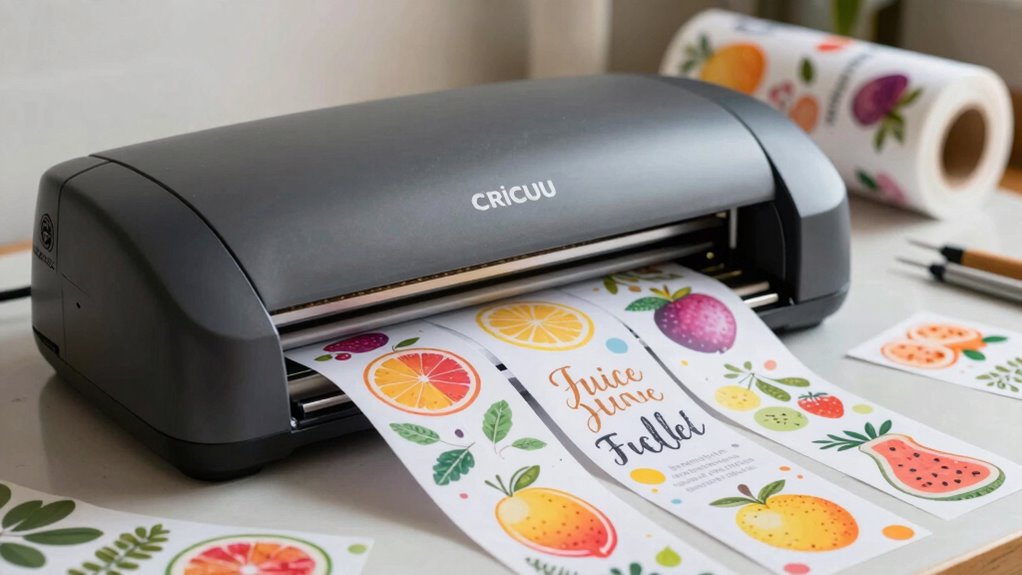
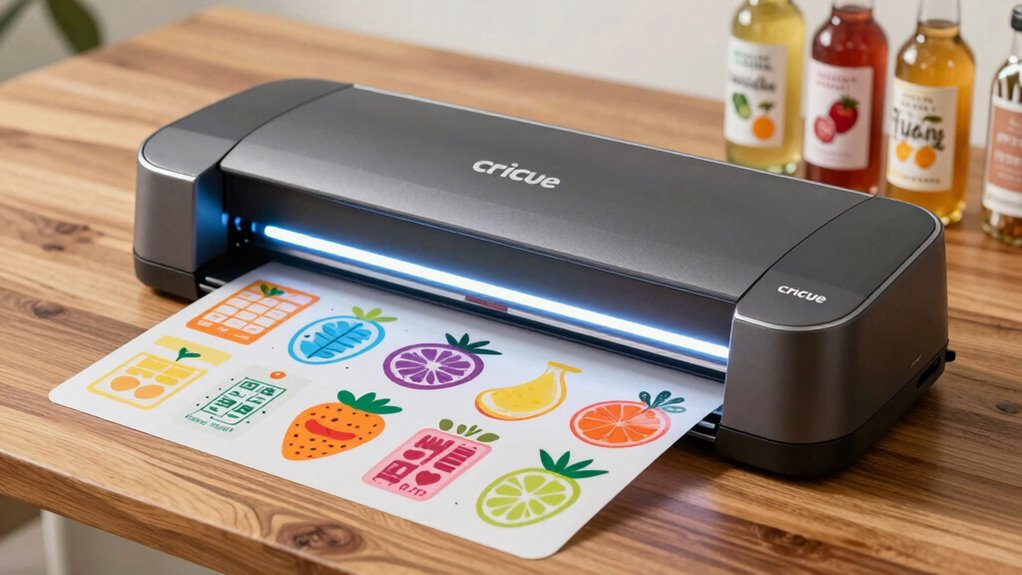
If you’re looking to create professional-looking juice labels at home, Cricut machines are a fantastic tool to contemplate. They give you the ability to craft custom designs that perfectly match your branding and style. Whether you’re creating labels for a small batch or experimenting with different looks, these machines let you bring your ideas to life with precision. One of the biggest advantages is the flexibility in material options. You can choose from vinyl, paper, acetate, or even adhesive-backed sheets, depending on your desired finish and durability. This variety helps you tailor each label to fit your brand’s aesthetic and functional needs, whether it’s a matte, glossy, or transparent look.
Cricut machines enable custom, professional-looking juice labels with versatile materials and precise design options.
The process of designing your labels with a Cricut is straightforward. You start by creating a custom design, either from scratch or using pre-made templates available through Cricut’s design software. This customization means you can incorporate your logo, unique fonts, or specific color schemes that align with your branding. When it comes to material options, you’re not limited to a single type; instead, you can experiment with different textures and finishes to see what best complements your juice bottles. For example, vinyl is excellent for waterproof labels that stay intact even if the bottles get wet, while paper might work well for decorative or seasonal labels. Additionally, the ability to customize labels easily supports small-scale production and personal branding efforts. It’s also beneficial to consider the cost-effectiveness of each approach depending on your production volume.
While the initial investment in a Cricut machine can be quite affordable, it’s important to consider the time investment involved in creating each label, especially when scaling up. Despite its versatility and ease of use, scaling up your label production with a Cricut can be tricky. While it excels for small batches and personalized projects, it’s not designed for mass production. The machine’s cutting capacity and the time it takes to finish each label limit how many you can produce efficiently. If you’re thinking about expanding your brand or selling large quantities, you might find yourself overwhelmed by the manual work involved. You’ll need to set aside time for designing, cutting, and applying each label individually, which isn’t ideal for large-scale operations.
However, for small businesses or artisanal brands, Cricut machines offer a quick, cost-effective way to create customized labels that stand out. They allow you to maintain control over every detail, ensuring your branding remains consistent across every bottle. It’s also worth noting that some users find it beneficial to explore professional printing options for larger runs to save time and effort. Just keep in mind that if your growth demands larger runs, you’ll eventually need to explore professional printing options or larger-scale manufacturing solutions. For now, though, Cricut provides a perfect balance of creative freedom and practical application for crafting unique juice labels right at home.
Products Worth Considering

Jura E6 Automatic Espresso Machine, Piano Black (15622)

De'Longhi Dinamica Plus Fully Automatic Espresso Machine

De'Longhi Magnifica XS ECAM22110B Automatic Espresso Machine
As an affiliate, we earn on qualifying purchases.
Frequently Asked Questions
Can Cricut Machines Cut Waterproof or Weather-Resistant Label Materials?
Yes, you can cut waterproof materials with Cricut machines, making it possible to create weather-resistant labels. However, it depends on the specific material you choose; some are more compatible than others. You’ll need a fine-point or deep-cut blade for thicker or tougher waterproof surfaces. Keep in mind that achieving durable, weather-resistant labels requires proper material selection and setting adjustments, but Cricut machines can handle the job when used correctly.
What Is the Typical Cost of a Cricut Machine for Small-Scale Labeling?
A Cricut machine for small-scale labeling typically costs between $200 and $400, depending on the model and features. You can incorporate it into your branding strategies by creating custom, eye-catching labels quickly and affordably. When doing a cost comparison, keep in mind that higher-end models offer more precision and material options, which can be beneficial for branding. Overall, it’s a cost-effective tool for personalized branding efforts.
How Long Does It Take to Produce a Batch of Juice Labels?
Batch production time for juice labels varies based on your design complexity and machine speed. Typically, it takes about 30 minutes to an hour to produce a batch, including setup and cutting. For small runs, you might finish quicker, but larger batches require more time. Keep a close eye on your time estimation to guarantee your labels are ready when needed, especially if you’re aiming for efficient production.
Are There Specific Cricut Tools Recommended for Precision Label Cutting?
You should use the Cricut Deep-Point Blade for precision label cutting, especially when working with intricate designs. For design customization and material compatibility, this tool provides clean, accurate cuts. Think of it as having a sharp eye for detail. Make sure your blades are sharp and properly installed to avoid mishaps. This way, you’ll cut with confidence, ensuring your juice labels look professional and polished every time.
Can Cricut Machines Handle Metallic or Textured Label Materials?
Yes, Cricut machines can handle metallic finishes and textured surfaces, but with some limitations. You’ll want to use strong blades like the Deep Point Blade for tougher materials. Metallic finishes may require a little extra care to avoid tearing, and textured surfaces might need slower cutting speeds for precision. Always do a test cut first to verify your machine can manage the specific material without issues.
Conclusion
While Cricut machines make designing eye-catching juice labels a breeze, scaling up your production can feel like hitting a wall. You get the creative freedom you crave, but turning those designs into hundreds of labels requires patience and extra effort. So, you’re caught between the joy of personalized branding and the challenge of mass production. Embrace the flexibility, but stay prepared for the hurdles—because in the world of juice labels, simplicity and scale often don’t go hand in hand.