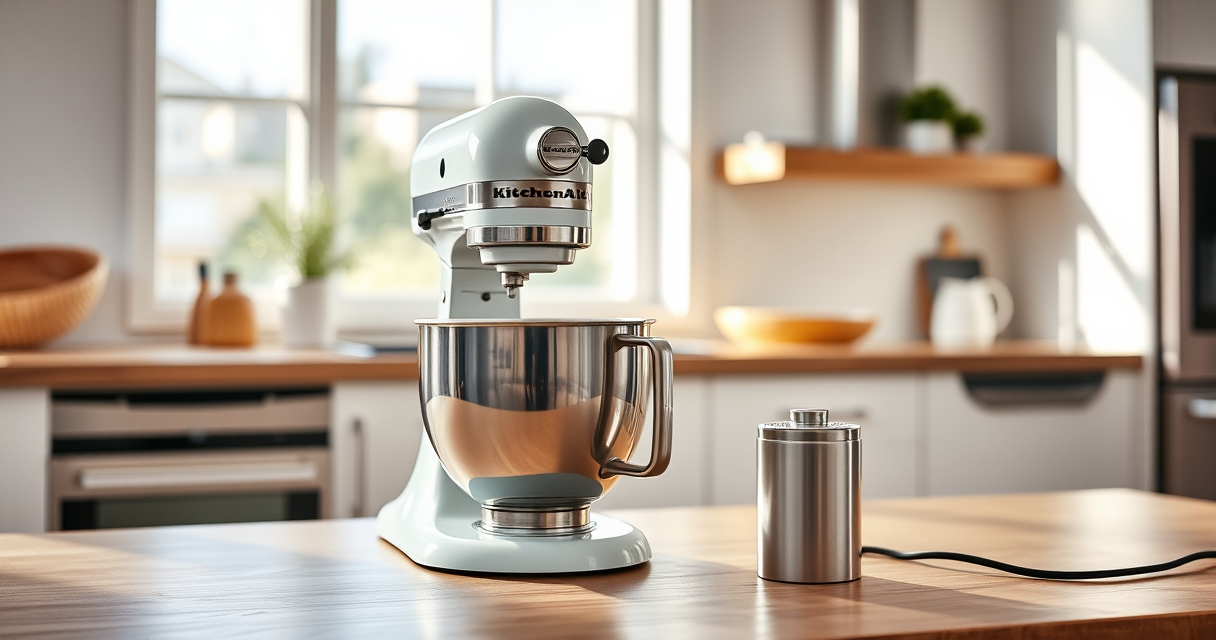

Owning a KitchenAid Artisan Series 5 Quart Tilt Head Stand Mixer is a great investment for any home cook or baker. To ensure it continues to perform at its best, regular maintenance and troubleshooting are essential. This guide provides you with practical, safe, and easy-to-follow steps to keep your mixer in top shape and resolve common issues.

Get kitchen staples and gadgets delivered free with Prime
- Fast, free delivery on millions of items
- Prime Video, Amazon Music and more included
- Member-only deals all year
From cleaning and inspection to fixing minor mechanical problems, you’ll find everything you need to prolong the life of your appliance and enjoy perfect mixes every time.
Key Takeaways
| Regular Cleaning Extends Lifespan | Keep your mixer clean to prevent build-up and mechanical issues. |
| Check and Replace Parts as Needed | Inspect the attachments and drive components regularly. |
| Troubleshoot Common Problems | Identify and resolve common issues like motor overheating or unusual noises. |
| Use Proper Techniques | Avoid overloading and follow safety guidelines. |
| Keep Your Mixer in Top Condition | Routine maintenance ensures consistent performance. |
Cleaning and Basic Inspection
- Unplug your KitchenAid mixer before starting any maintenance.
- Remove all attachments, including the flat beater, dough hook, or wire whip.
- Wipe down the exterior with a damp cloth and mild detergent. Avoid abrasive cleaners that could scratch the surface.
- Clean the bowl with warm, soapy water. For stubborn spots, use a non-abrasive sponge.
- Inspect the attachment hub and power cord for any signs of damage.
- Check the beater shaft and drive socket for food debris or residue, cleaning with a soft brush if necessary.
Perform this cleaning weekly if you’re using the mixer frequently. Regular cleaning prevents buildup that can impair motor performance and attachment function.
Lubrication and Drive System Maintenance
KitchenAid mixers are designed with a sealed drive system, so lubrication isn’t typically required. However, if you notice unusual noises or difficulty attaching accessories, inspect the drive components.
Ensure the attachment hub is free of debris. If you experience persistent issues, contact a professional for internal inspection or lubrication, as opening the mixer yourself may void warranties.
Always unplug the mixer before attempting any internal maintenance. Refer to the user manual or professional repair services for internal issues.
Troubleshooting Common Issues
- Motor Overheating: This can happen if the mixer is overloaded or used continuously for long periods. Allow it to cool down for 15-20 minutes before resuming.
- Unusual Noises: Check that attachments are properly seated and not worn out. Replace any damaged parts.
- Attachments Not Turning: Ensure the attachment is correctly locked in place. Clean the attachment hub and verify the power cord is connected properly.
- Mixer Not Turning On: Confirm the mixer is plugged in, the power outlet works, and the on/off switch functions correctly. Reset circuit breakers if necessary.
Regularly inspecting these elements can prevent major repairs.
Replacing Worn or Damaged Parts
Over time, parts like the beater, dough hook, or wire whip may wear out or become damaged. When this occurs, replace them promptly to maintain optimal performance.
Always use genuine KitchenAid attachments designed for your model (ASIN B0769ZQWH7).
For internal parts like the drive belt or motor brushes, consult a professional technician or authorized service center. Do not attempt to open the motor housing yourself, as this can be dangerous and void your warranty.
Safety Tips and Maintenance Best Practices
- Always unplug your mixer before cleaning or inspecting internal components.
- Use the correct attachments and avoid overloading your mixer beyond its capacity (e.g., 9 dozen cookies per batch).
- Store your mixer in a dry, safe place when not in use.
- Follow the manufacturer’s instructions for cleaning and part replacement.
- Regularly check the power cord and plug for damage and replace if necessary.
Following these safety tips helps prevent accidents and prolongs your mixer’s lifespan.
The Products in This Guide

KitchenAid Artisan Series 5 Quart Tilt Head Stand Mixer
- ✔ Bowl Type: Stainless steel
- ✔ Number of Touchpoints: 59
- ✔ Maximum Batch Size: 9 dozen cookies

KitchenAid Stand Mixer Attachment
- ✔ Processing Time: Quick with pre-chilling
- ✔ Accessories: Multiple grinding plates
- ✔ Storage: Organized in a case
KitchenAid Artisan Series 5 Quart Tilt Head Stand Mixer
The KitchenAid Artisan Series 5 Quart Tilt Head Stand Mixer is built with sturdy metal construction and designed for long-lasting performance. Regular maintenance ensures it continues to deliver thorough mixing results, whether you’re baking cookies or whipping cream.
Pros:
- Solid metal construction for durability
- Easy tilt-head access for cleaning and attachment changes
- Multiple speeds for versatile tasks
- Dishwasher safe parts for convenience
Cons:
- Requires regular cleaning to prevent buildup
- Internal repairs need professional assistance
- Can be heavy to move around
Best for: Home bakers and chefs seeking a reliable, versatile mixer
Not ideal for: Users who prefer lightweight, portable options or minimal maintenance
Bottom line: A durable, high-performing mixer with straightforward maintenance for years of reliable use.
KitchenAid Stand Mixer Attachment
The KitchenAid Metal Food Grinder attachment enhances your mixer’s capabilities, allowing you to grind fresh meat, prepare sausages, and more. It’s a versatile accessory that complements your mixer’s functionality.
Pros:
- Sturdy metal construction
- Multiple grinding plates included
- Easy to attach and clean
- Allows for fresh, customizable ingredients
Cons:
- Requires separate purchase
- Needs pre-chilling for best results
- Limited to grinding and sausage making
Best for: Home cooks wanting to process fresh ingredients easily
Not ideal for: Users looking for a multi-purpose kitchen appliance beyond grinding
Bottom line: A robust attachment that adds serious food processing capability to your KitchenAid mixer.
Frequently Asked Questions
How often should I clean my KitchenAid mixer?
Clean your mixer after each use, especially when switching between different types of ingredients, to prevent residue build-up and ensure optimal performance.
Can I open my mixer for internal repairs?
It’s recommended to have internal repairs performed by authorized service centers. Opening the mixer yourself can be dangerous and void the warranty.
What should I do if my mixer overheats?
Turn off and unplug the mixer immediately. Let it cool down for 15-20 minutes before resuming use. Avoid overloading the mixer to prevent overheating.
Are all attachments compatible with my KitchenAid mixer?
Most attachments are designed specifically for KitchenAid stand mixers and are compatible with your model, but check the product details to ensure fit.
How can I prevent my mixer from making unusual noises?
Ensure attachments are properly seated, clean the attachment hub, and avoid overloading the mixer. Replace worn-out attachments promptly.
Keep Your KitchenAid Mixer Running Smoothly
With regular cleaning, inspection, and proper use, your KitchenAid Artisan Series 5 Quart Tilt Head Stand Mixer can deliver reliable performance for years to come. Addressing common issues promptly and replacing worn parts will save you time and money, ensuring your baking and cooking adventures are always successful. Invest a little time in maintenance, and your mixer will reward you with consistent, high-quality results every time.
Affiliate disclosure: As an Amazon Associate we earn from qualifying purchases. Prices and availability are accurate as of the time of publishing.