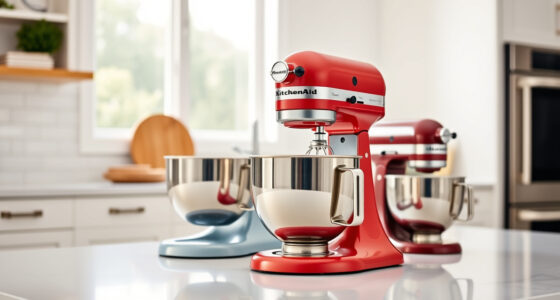

The KitchenAid Artisan Series 5 Quart Tilt Head Stand Mixer is renowned for its durability and versatility, making it a staple in many kitchens. However, some users may encounter a common problem: the mixer won’t tilt back when trying to access the bowl. This issue can hinder your baking workflow, but often it’s fixable with some simple troubleshooting. In this guide, we’ll cover the typical causes of a stuck tilt mechanism and provide clear, safe steps to resolve the issue, ensuring your mixer functions smoothly again.

Get kitchen staples and gadgets delivered free with Prime
- Fast, free delivery on millions of items
- Prime Video, Amazon Music and more included
- Member-only deals all year
Whether your mixer is new or has seen years of service, understanding how to troubleshoot this problem will save you time and prevent unnecessary repairs. Remember to always follow safety precautions when working with electrical appliances, and disconnect the mixer from power before attempting any repairs.
Key Takeaways
| Common Cause | The tilt mechanism may be jammed due to dirt, debris, or misalignment. |
| Regular Maintenance | Cleaning and lubrication are key to preventing tilt-back issues. |
| Safe Troubleshooting | Always unplug the mixer before inspecting or fixing components. |
| Step-by-Step Fixes | Most problems can be resolved by cleaning or adjusting the tilt mechanism. |
| When to Seek Professional Help | Persistent issues may require a certified repair technician. |
Identify the Cause of the Tilt-Back Issue
Before attempting to fix your KitchenAid stand mixer, determine why the tilt function isn’t working. Common causes include dirt or debris blocking the tilt head, a misaligned or stuck latch, or mechanical wear over time. In some cases, an obstruction or buildup of flour, dough, or other ingredients can cause the tilt mechanism to jam. Additionally, if the latch that locks the tilt head in place is damaged or not engaging properly, the head may be stuck in the upright position.
Inspect the area around the hinge and latch for any visible obstructions or buildup. If the tilt head is difficult to move, it’s often due to debris or lack of lubrication. Also, check if the latch moves freely when you try to engage or release it. Identifying the root cause will help you choose the appropriate fix and avoid unnecessary disassembly.
Preparation and Safety Measures
Before starting any troubleshooting or repairs, unplug your KitchenAid stand mixer from the power outlet. This is crucial to prevent accidental activation or electrical shock. Gather necessary tools such as a soft cloth, mild detergent, a small brush, and possibly a lubricant like food-grade silicone spray if needed.
Ensure your workspace is clean and well-lit. If your mixer has been used recently, allow it to cool down if heated during operation. Remember, safety first — never attempt repairs with the appliance plugged in or when uncertain about your skills. If you feel uncomfortable at any point, consider consulting a professional technician.
Cleaning and Lubricating the Tilt Mechanism
- Remove any accessories or attachments from your mixer, and ensure it is unplugged.
- Locate the tilt head hinge and latch mechanism. On the KitchenAid Artisan Series, this is typically accessible from the top or sides of the mixer body.
- Use a soft cloth and mild detergent to gently clean away any flour, dough, or debris around the hinge and latch. For stubborn buildup, a small brush can help dislodge particles.
- If the latch or hinge feels stiff, apply a few drops of food-grade silicone spray or a similar lubricant to the moving parts. Avoid using harsh oils or WD-40, as they can damage the finish or interfere with food safety.
- Reassemble the parts, ensuring the latch moves freely and engages properly. Test the tilt function by carefully tilting the head back and forth while the mixer is still unplugged.
Adjusting or Replacing the Latch or Hinge
If cleaning and lubrication do not solve the problem, the latch or hinge may be misaligned or damaged. In some cases, a worn or broken latch can prevent the tilt head from locking into the proper position.
For minor misalignments, gently adjust the latch or hinge to ensure it lines up correctly with the locking mechanism. If the latch is broken or severely worn, it may require replacement. Contact KitchenAid customer service or a qualified repair technician for genuine replacement parts.
When replacing components, follow the manufacturer’s instructions carefully. Always unplug the mixer before removing or installing parts to prevent injury or damage.
Testing and Preventive Tips
After cleaning, lubricating, or replacing parts, test the tilt function with the mixer unplugged. Gently tilt the head back and ensure it moves smoothly and locks securely in place. If it still won’t tilt back, double-check the alignment and reassemble everything correctly.
To prevent future issues, regularly clean the hinge and latch area, lubricate as recommended, and avoid overloading the mixer or using excessive force when tilting. Store your mixer in a dry, clean space to minimize dirt and debris buildup.
If problems persist despite troubleshooting, it’s advisable to seek professional service to avoid further damage or voiding the warranty.
The Products in This Guide

KitchenAid Artisan Series 5 Quart Tilt Head Stand Mixer
- ✔ Voltage: 120V
- ✔ Warranty: 1 year
- ✔ Included Accessories: Pouring shield, flat beater

KitchenAid Stand Mixer Attachment
- ✔ Weight: 4 pounds
- ✔ Warranty: 1 year
- ✔ Dimensions: 10 x 8 x 6 inches
KitchenAid Artisan Series 5 Quart Tilt Head Stand Mixer
<p>The KitchenAid Artisan Series 5 Quart Tilt Head Stand Mixer is built with durable metal construction, offering excellent stability and longevity. Its tilt-head design allows easy access to the bowl, making it a favorite among home bakers. The mixer features 10 speeds, a 5-quart stainless steel bowl, and a pouring shield, making it versatile for various recipes, from cookies to bread dough.</p><p>While generally reliable, occasional tilt-back issues can occur due to dirt or misalignment, which are easily fixed with proper cleaning and maintenance.</p>
Pros:
- Durable metal construction
- Easy tilt-head access
- Multiple speed options
- Large capacity bowl
Cons:
- Can jam if not maintained
- Requires regular cleaning
- Potential latch wear over time
Best for: Home bakers needing a reliable, versatile mixer
Not ideal for: Heavy users who need commercial-grade durability
Bottom line: A durable, versatile mixer with simple maintenance to prevent tilt issues.
KitchenAid Stand Mixer Attachment
The KitchenAid Metal Food Grinder attachment expands your mixer’s capabilities, allowing you to grind meats, vegetables, and more with ease. Its durable construction and multiple grinding plates make it a versatile addition for home cooks seeking fresh ingredients.
Pros:
- Sturdy metal build
- Multiple grinding plates
- Easy to attach
- Large food tray
Cons:
- Requires a separate purchase
- Clogs if not pre-chilled
- Cleaning can be time-consuming
Best for: Homemade sausages, ground meat, and fresh produce
Not ideal for: Light-duty grinding tasks or infrequent use
Bottom line: A robust grinder that enhances your kitchen’s food prep capabilities.
Frequently Asked Questions
Why won’t my KitchenAid tilt head stay in the tilted position?
This can happen if dirt, debris, or food residue is blocking the latch or hinge, or if the latch is worn or misaligned. Cleaning and lubrication often resolve this issue.
Is it safe to lubricate the hinge myself?
Yes, but only use food-grade silicone spray or similar safe lubricants designed for kitchen appliances. Always unplug the mixer before applying any lubricant.
My tilt head is stuck in the upright position. What should I do?
Check for obstructions or buildup around the hinge and latch. Clean thoroughly and see if lubrication helps. If it’s damaged, consider replacing the latch or consulting a technician.
Can I fix the tilt mechanism without tools?
Many issues can be fixed with basic cleaning and adjustments. However, replacing broken parts may require specific tools and technical knowledge, so professional help is recommended if unsure.
How often should I clean and lubricate the tilt mechanism?
It’s best to inspect and clean the hinge and latch every few months, especially if you notice stiffness or difficulty tilting the head.
Keep Your Mixer Running Smoothly with Proper Maintenance
Regular cleaning, lubrication, and careful handling are key to preventing tilt-back issues with your KitchenAid stand mixer. By following the troubleshooting steps outlined above, you can often resolve minor problems yourself and extend the life of your appliance. If issues persist despite your efforts, don’t hesitate to seek professional repair services to ensure your mixer remains a reliable kitchen companion for years to come.
Affiliate disclosure: As an Amazon Associate we earn from qualifying purchases. Prices and availability are accurate as of the time of publishing.
NFL season / tailgating Picks
team gear
As an affiliate, we earn on qualifying purchases.