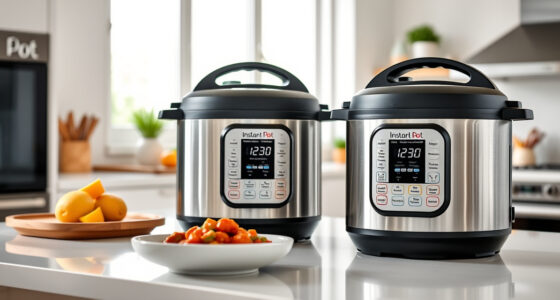

If your Instant Pot 4QT RIO Mini keeps displaying a Burn error, it can be frustrating and disrupt your meal prep. This common issue often relates to food sticking to the bottom, insufficient liquid, or sealing problems. Fortunately, with careful troubleshooting, you can resolve the error and get back to cooking quickly and safely.

Get kitchen staples and gadgets delivered free with Prime
- Fast, free delivery on millions of items
- Prime Video, Amazon Music and more included
- Member-only deals all year
Below are detailed, easy-to-follow steps to identify and fix the Burn error, along with safety tips to prevent it in future cooking sessions.
Key Takeaways
| Check Liquid Levels | Ensure enough liquid is in the pot to prevent burning. |
| Scrape the Bottom | Remove stuck food and residue before restarting. |
| Use a Proper Sealing Ring | A worn or improperly fitted ring can cause pressure issues. |
| Avoid Overfilling | Keep within recommended capacity to prevent burn warnings. |
| Adjust Cooking Settings | Use lower pressure or shorter times if needed. |
Step 1: Turn Off and Release Pressure
- Press ‘Cancel’ to turn off the Instant Pot and unplug it for safety.
- Carefully release any remaining pressure using the quick-release method, following your model’s instructions.
Step 2: Open the Lid and Inspect the Food
Open the lid carefully. Check if the food is burnt or stuck to the bottom. Remove food debris and scrape off any burnt residue using a silicone or wooden spatula.
Step 3: Add More Liquid and Check the Sealing Ring
- Add a cup of liquid (water, broth, etc.) if the amount was low, ensuring there’s enough to generate steam.
- Inspect the sealing ring for cracks, deformation, or odor. Replace if necessary to ensure proper sealing and pressure build-up.
Step 4: Clean the Inner Pot and Reassemble
Wash the inner pot thoroughly to remove any burnt bits. Make sure the sealing ring is properly fitted in place before closing the lid securely.
Step 5: Restart Cooking with Adjustments
- Close the lid tightly and ensure the pressure valve is set to ‘Sealing.’
- Set your cooking time and pressure level appropriately, possibly reducing the time if you tend to burn food.
The Products in This Guide

Instant Pot 4QT RIO Mini 7-in-1 Multi-Cooker
- ✔ Model: RIO Mini
- ✔ Color: Rosewater
- ✔ Dishwasher Safe: Yes

AOZITA Steamer Basket
- ✔ Size Compatibility: 6 & 8 Quart
- ✔ Material: Stainless Steel
- ✔ Color: Silver
Instant Pot 4QT RIO Mini 7-in-1 Multi-Cooker
The Instant Pot 4QT RIO Mini 7-in-1 Multi-Cooker is perfect for small households, offering multiple cooking functions in a compact size. Its anti-spin design and modern rosewater finish make it both functional and stylish.
Pros:
- 7 cooking functions in one device
- Space-saving mini size
- Easy to monitor with progress indicator
- Versatile for various recipes
Cons:
- Limited capacity for larger families
- Requires proper sealing for best results
- Can experience burn errors if not used correctly
Best for: Small families, students, singles, quick meals
Not ideal for: Cooking for large groups or batch cooking
Bottom line: A versatile, space-saving pressure cooker ideal for small kitchens and quick meals.
AOZITA Steamer Basket
The AOZITA Steamer Basket offers extra versatility with its two-tier design, perfect for steaming vegetables, eggs, or seafood simultaneously in your Instant Pot.
Pros:
- Two-tier stackable design
- Made of durable stainless steel
- Easy to clean
- Great for multi-item cooking
Cons:
- Requires space in the inner pot
- May need to adjust cooking times for multiple layers
- Not suitable for very small recipes
Best for: Steaming multiple ingredients, batch cooking
Not ideal for: Cooking large quantities that exceed capacity
Bottom line: A practical accessory to expand your Instant Pot’s steaming capabilities.
Frequently Asked Questions
Why does my Instant Pot keep giving a Burn error?
This usually happens when there is insufficient liquid, food sticks to the bottom, or the sealing ring is worn or improperly fitted.
How do I prevent the Burn error in the future?
Ensure enough liquid is added, scrape the bottom of the pot before cooking, and check that the sealing ring is in good condition and properly installed.
Can I still cook if I get a Burn error?
Yes, but you should turn off the device, clean the bottom, add more liquid if needed, and restart with adjusted settings to prevent reoccurrence.
Is it safe to continue cooking after fixing the Burn error?
Absolutely, as long as the cause is addressed and the pot is properly sealed, it is safe to resume cooking.
Mastering Your Instant Pot for Smooth Cooking
By following these troubleshooting steps, you can effectively resolve the Burn error on your Instant Pot 4QT RIO Mini. Regular maintenance, proper liquid levels, and correct sealing are key to preventing future issues. With a little care, your multi-cooker will continue to deliver fast, delicious meals safely and reliably.
Affiliate disclosure: As an Amazon Associate we earn from qualifying purchases. Prices and availability are accurate as of the time of publishing.
Halloween Picks
halloween
As an affiliate, we earn on qualifying purchases.