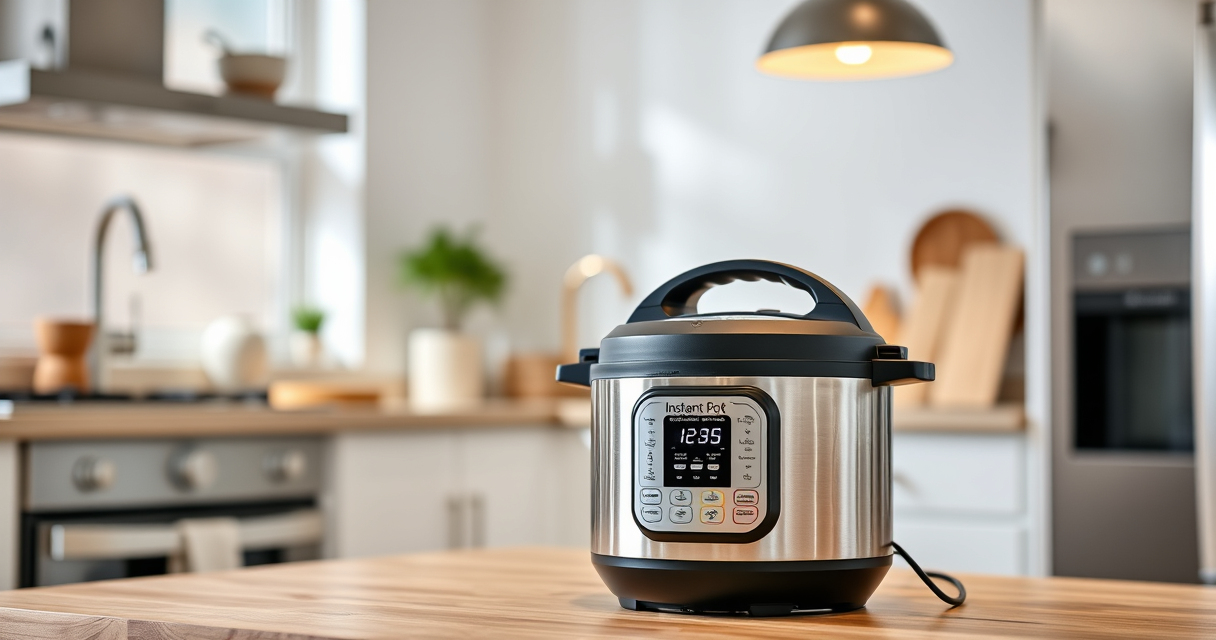

The Instant Pot is a versatile and convenient kitchen appliance, but encountering a burn error can be frustrating. This guide provides clear, practical steps to identify causes and resolve the burn warning quickly and safely, so you can get back to cooking your favorite meals without stress.

Get kitchen staples and gadgets delivered free with Prime
- Fast, free delivery on millions of items
- Prime Video, Amazon Music and more included
- Member-only deals all year
Understanding what triggers the burn error and how to fix it can save you time and prevent damage to your appliance. Follow these step-by-step instructions to troubleshoot effectively and keep your Instant Pot functioning perfectly.
Key Takeaways
| Common Causes | Food stuck to the bottom or insufficient liquid |
| Immediate Action | Turn off and release pressure before opening |
| Prevention Tips | Use enough liquid and avoid thick sauces near the bottom |
| Regular Maintenance | Check sealing rings and clean the bottom regularly |
Step 1: Turn Off and Release Pressure
- Press the “Cancel” button to stop the cooking process.
- Carefully turn the steam release valve to “Venting” to release steam and pressure.
- Wait until the float valve drops down, indicating all pressure is released.
Step 2: Open the Lid and Check the Food
Open the lid carefully. Inspect the bottom of the inner pot for food that may be stuck or burnt. Remove any burnt or stuck food with a silicone spatula or spoon.
Step 3: Clean the Pot and Inspect Sealing Components
- Wash the inner pot thoroughly to remove any food residue.
- Check the sealing ring for damage or odor; replace if necessary.
- Clean the heating element and the bottom of the cooker to ensure no food debris remains.
Step 4: Add Adequate Liquid and Restart
Ensure there is enough liquid in the inner pot—at least 1 to 1.5 cups, depending on your recipe. Avoid thick sauces near the bottom during pressure cooking.
Close the lid securely, set the valve to “Sealing,” and restart the cooking cycle.
Tips and Warnings for Preventing Burn Errors
- Always add enough liquid for steam generation.
- Stir ingredients well to prevent sticking at the bottom.
- Avoid thick sauces or foods that tend to stick if not properly stirred or deglazed.
- Regularly clean the bottom and check sealing components for wear.
Warning: Never force open the lid while the cooker is under pressure to avoid injury.
The Products in This Guide

Instant Pot 4QT RIO Mini 7-in-1 Multi-Cooker
- ✔ Capacity: 4QT
- ✔ Functions: 7-in-1
- ✔ Color: Rosewater

AOZITA Steamer Basket
- ✔ Material: Stainless steel
- ✔ Design: 2-tier
- ✔ Compatibility: 6/8 qt
Instant Pot 4QT RIO Mini 7-in-1 Multi-Cooker
The Instant Pot 4QT RIO Mini 7-in-1 Multi-Cooker is a versatile, space-saving device perfect for small households. Its multi-functionality makes it easy to pressure cook, slow cook, sauté, steam, and more, all in a compact design.
Pros:
- 7 cooking functions
- Compact and easy to store
- Modern design with colorful finish
- Cook faster than traditional methods
Cons:
- Limited 4-quart capacity
- May require frequent cleaning of bottom
- Some users report sealing ring wear over time
Best for: Small families, singles, or students needing versatile cooking
Not ideal for: Large families or those needing bigger capacity
Bottom line: A compact, versatile multi-cooker ideal for small kitchens and quick meals.
AOZITA Steamer Basket
The AOZITA Steamer Basket complements your Instant Pot by allowing you to cook multiple dishes simultaneously while keeping foods separated, making meal prep more efficient and versatile.
Pros:
- Two-tier design
- Stainless steel mesh
- Fits 6 and 8 qt models
- Easy to clean
Cons:
- Adds some cleanup step
- Requires space inside the pot
- May slightly extend cooking time if overloaded
Best for: Cooking multiple items at once, steaming vegetables, seafood, or eggs
Not ideal for: Cooking large quantities or for large families
Bottom line: A practical accessory that maximizes your Instant Pot’s versatility.
Frequently Asked Questions
What causes the burn error on my Instant Pot?
The burn error typically occurs when food sticks to the bottom, when there’s insufficient liquid, or when the ingredients are too thick or dense, causing the cooker to overheat or burn the food.
How do I prevent the burn error from happening?
Ensure enough liquid is added, stir ingredients well to prevent sticking, avoid thick sauces near the bottom, and regularly clean the bottom of the inner pot and sealing components.
Can I still use my Instant Pot after a burn error?
Yes, after releasing pressure, cleaning the pot, and addressing the cause, you can restart your cooking process. Just make sure you’ve removed any burnt food and added sufficient liquid.
Is it safe to open the lid after a burn error?
Only open the lid once all pressure has been released and the float valve has dropped. Never force open the lid while under pressure, as it can be dangerous.
Troubleshooting Your Instant Pot Burn Error
By understanding the common causes and following the step-by-step fixes outlined here, you can resolve the burn error safely and quickly. Regular maintenance and mindful cooking practices will help prevent future issues, ensuring your Instant Pot remains a reliable kitchen companion for years to come.
Affiliate disclosure: As an Amazon Associate we earn from qualifying purchases. Prices and availability are accurate as of the time of publishing.